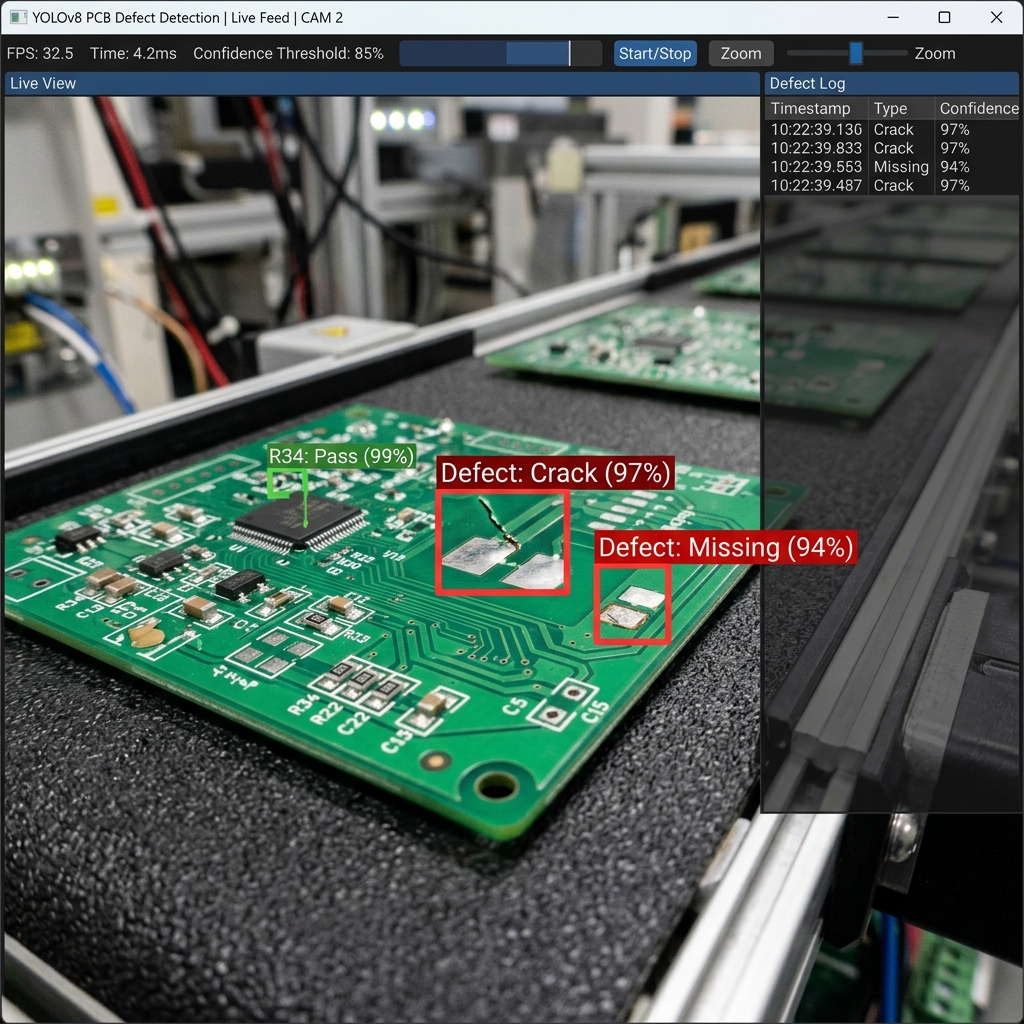
Training YOLO Models for Real-time Industrial Defect Detection
Quality assurance on high-speed production lines is a primary bottleneck in manufacturing. Traditional rule-based machine vision systems excel at measuring simple dimensions under perfect lighting, but fail when inspecting complex organic defects like cracks, surface discoloration, missing components, or weld anomalies.
Deep learning object detection models, specifically the YOLO (You Only Look Once) architecture family, have emerged as the state-of-the-art solution for real-time visual inspection. This article discusses how custom YOLO models are trained, annotated, and optimized for sub-millisecond inference on the factory floor.
"Choosing the right YOLO model size is a critical trade-off between inspection throughput speed and defect detection sensitivity."
1. Problem Definition & Model Selection
Depending on target line speeds, system architects must select the appropriate YOLO model variant. For extreme speeds (e.g. 60+ items per second), YOLOv8-nano or YOLOv8-small are selected. These compact networks run with under 5ms inference latency on standard Edge processors. For high-precision requirements where defects are minute (such as PCB solder micro-cracks), larger models like YOLOv8-medium or YOLOv8-large are deployed.
2. Image Annotation & Dataset Curation
Deep learning models require balanced training datasets. A common pitfall in manufacturing is that defects are rare—less than 0.1% of total parts. If a model is trained on 99.9% good parts, it fails to recognize defects. Engineers must curate balanced datasets by intentionally collecting anomalous parts. Images are annotated using bounding boxes or polygon masks (for pixel-level segmentation) to define defects like "surface scratch," "fracture," or "misalignment."
3. Data Augmentation & Model Training
Data augmentation techniques (e.g., rotation, brightness scaling, blurring, and mosaic combinations) multiply the training dataset size and make the model robust against industrial lighting variations. Models are trained using custom loss functions designed to penalize false negatives heavily. The resulting weights are compiled, validated against test datasets, and optimized for specific target accelerators.
4. Edge Deployment & Optimization
Running raw PyTorch models on production lines introduces processing overhead. To optimize throughput, the model weights are exported to format platforms like TensorRT (for NVIDIA GPUs) or OpenVINO (for Intel chips). These formats quantize weights from FP32 to INT8 precision, reducing model footprint and increasing frame rates up to 5× with negligible accuracy loss.






Alok Verma Reply
We exported our YOLOv8-nano model to TensorRT and achieved over 250 FPS on an NVIDIA Jetson Orin Nano. It easily matches the cycle time of our fast bottling line. Excellent guide on exporting architectures.